How to Choose the Right POS System for Your Retail Business: 10 Essential Features
 Mukesh JambukiyaNov 12, 2026
Running a retail business involves much more than selling products and collecting payments. Business owners must manage inventory, track sales, handle purchases, maintain customer records, monitor expenses, and understand how each store is performing.
When these activities are handled through separate tools or manual processes, it becomes difficult to maintain accurate records and make timely business decisions.
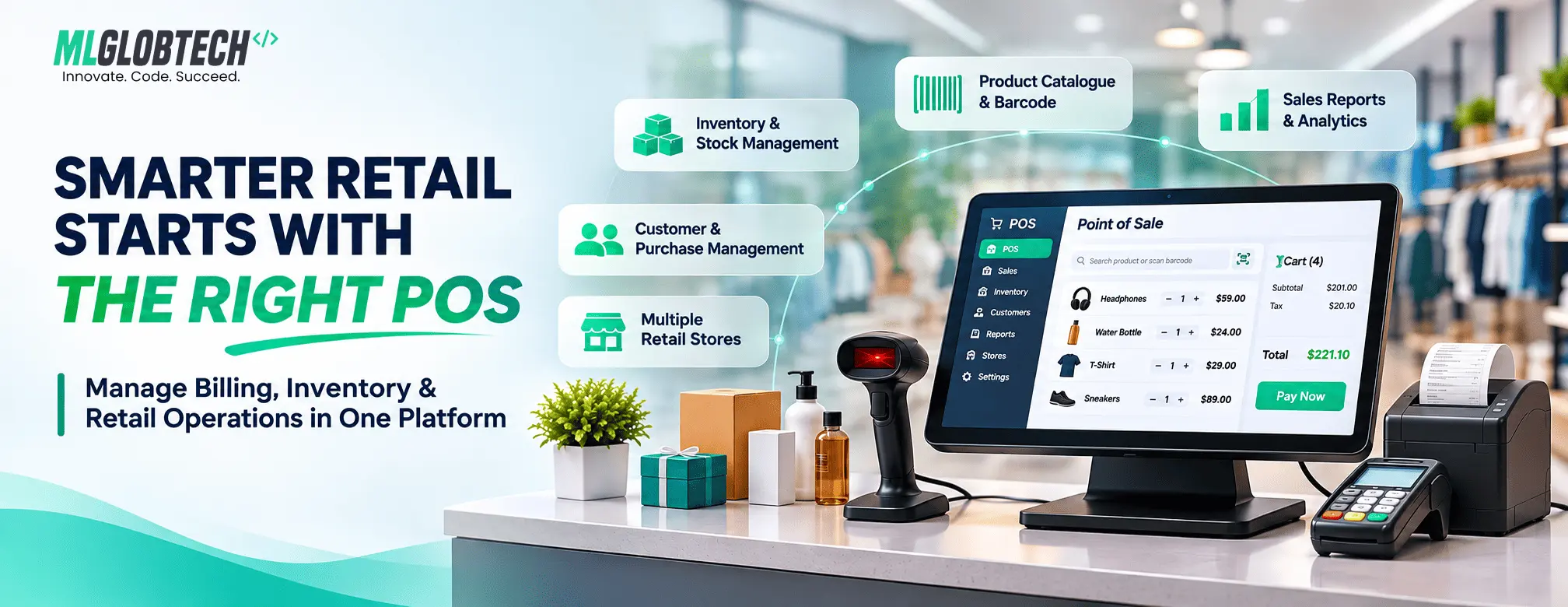
This is where a POS system for retail business becomes valuable. A modern Point of Sale (POS) system connects everyday sales activities with inventory management, customer information, purchasing, reporting, and other important business operations.
However, not every POS solution offers the same capabilities. Choosing the right system requires looking beyond the billing screen and understanding how it supports your complete retail workflow.
In this guide, we will explore 10 essential POS system features, explain what to evaluate before selecting a solution, and help you identify a system that can support your business as it grows.
1. Fast and Efficient Billing and Checkout
Billing is one of the most frequently performed activities in a retail business. A slow or complicated checkout process can create queues, increase staff workload, and affect the customer experience.
A good retail POS system should provide an easy-to-use billing interface that allows employees to create sales quickly and accurately.
Important capabilities to look for:
- Quick product selection and search.
- Barcode scanning for faster product entry.
- Multiple products in a single transaction.
- Automatic calculation of applicable taxes.
- Discount handling.
- Multiple payment modes.
- Invoice generation and payment recording.
For example, consider a grocery store where a customer purchases 15 different products. Employees should be able to scan or select each product, review the total, apply an eligible discount, record the payment, and generate the invoice without navigating through multiple screens.
Why it matters: An efficient checkout process helps reduce manual work, improve billing accuracy, and serve customers more efficiently.
2. Product and Barcode Management
A retail business may sell hundreds or thousands of products. Maintaining accurate product information is essential for billing, purchasing, and inventory tracking.
Your POS system should provide a centralized product management module where you can organize products and maintain important product details.
Look for features such as:
- Product names and descriptions.
- Product categories and brands.
- Product codes and SKU numbers.
- Barcode numbers.
- Product images.
- Units of measurement.
- Purchase and selling prices.
- Tax configuration.
- MRP and profit margin information.
- Product variants, where applicable.
For example, a fashion retailer may sell the same shirt in different sizes and colors. A product management module should make it easier to organize these variations and identify the correct item during billing.
Why it matters: Organized product information improves billing accuracy and helps maintain consistency across inventory, purchases, and sales.
3. Real-Time Inventory and Stock Management
Inventory management is one of the most important capabilities of retail POS software.
Without accurate stock records, businesses may experience overstocking, unexpected shortages, incorrect product availability, or difficulty identifying slow-moving products.
A POS system should connect sales and purchase transactions with inventory records so that stock quantities can be updated as business activities occur.
Essential inventory features include:
- Current stock tracking.
- Stock adjustments.
- Low-stock and alert quantity settings.
- Warehouse management.
- Stock movement history.
- Damaged and expired stock management.
- Stock transfer between locations.
- Inventory reports.
- Reordering support.
For example, when a store sells five units of a product, the inventory quantity should reflect the transaction. When new stock is received from a supplier, the inventory should be updated accordingly.
Businesses managing multiple warehouses or branches should also be able to understand where their products are located.
Why it matters: Better inventory visibility helps businesses maintain suitable stock levels, reduce manual tracking, and make more informed purchasing decisions.
4. Purchase and Supplier Management
Retail operations do not begin at the checkout counter. Businesses also need to manage the purchasing process, maintain supplier information, and track incoming stock.
A POS system with purchase management capabilities can connect procurement activities with inventory records.
Important features include:
- Supplier information management.
- Purchase orders and purchase records.
- Product-wise purchase details.
- Purchase pricing and taxes.
- Goods receiving and stock updates.
- Purchase returns.
- Supplier payment tracking.
- Purchase history and reports.
For example, a supermarket may purchase products from several suppliers. The business should be able to record each purchase, update stock quantities, and review outstanding supplier payments.
A centralized purchase module also helps business owners compare purchasing activity and understand where their inventory is coming from.
Why it matters: Connecting purchases, suppliers, and inventory reduces disconnected records and improves visibility into the supply process.
5. Customer Management and Purchase History
Customer information can help retail businesses provide better service and understand buying patterns.
Instead of maintaining customer details separately, a POS system should allow employees to associate sales transactions with customer records.
Useful customer management capabilities include:
- Customer contact information.
- Individual and business customer records.
- Customer purchase history.
- Outstanding balance tracking.
- Sales transaction history.
- Customer-wise reports.
For example, an electronics retailer may need to review a customer's previous purchase when handling a return or responding to a product-related enquiry.
Customer records can also help businesses understand repeat purchases and identify their regular customers.
Why it matters: Centralized customer information improves record keeping, supports customer service, and provides useful business insights.
6. Sales Orders, Invoices, Returns, and Refunds
Retail businesses need more than a basic billing function. They must manage different stages of the sales process, from quotations and confirmed orders to invoices and returns.
A capable POS system should provide a structured way to manage these transactions.
Look for the following capabilities:
- Customer quotations.
- Sales order creation and tracking.
- Invoice generation.
- Payment and outstanding balance tracking.
- Sales returns.
- Refund or credit handling.
- Sales transaction history.
For example, a furniture retailer may receive an order for products that are not immediately available. The business may need to create a quotation, confirm the order, record payments, and manage the transaction until the sale is completed.
Similarly, if a customer returns an item, the system should support the return process and maintain the appropriate sales and inventory records.
Why it matters: A complete sales workflow helps businesses maintain organized transaction records and handle situations beyond ordinary counter billing.
7. Tax Calculation and Multiple Payment Modes
Tax calculation and payment recording are important parts of everyday retail transactions.
A POS system should support configurable tax settings suitable for the business's operating requirements. It should also make it easy to record how customers pay.
Important capabilities include:
- Product-level or transaction-level tax configuration, where supported.
- Multiple tax rates.
- Tax-inclusive or tax-exclusive pricing, where applicable.
- Discount calculations.
- Cash payment recording.
- Card and other payment-mode recording.
- Split payment support, if required.
- Tax-related sales reports.
For example, a retailer selling products with different applicable tax rates needs a system that can calculate the correct tax based on its configured product and transaction settings.
Businesses should also verify that the POS supports the tax rules and invoice formats required in their jurisdiction.
Why it matters: Proper tax configuration and payment records help reduce calculation errors and support accurate financial reporting.
8. Multi-Store and Warehouse Management
A single-store business may have relatively straightforward operations. However, when a business expands to multiple branches, inventory and sales management become more complex.
A centralized POS system should help business owners manage multiple physical locations through a common platform.
Important multi-location capabilities include:
- Multiple store and warehouse management.
- Location-wise inventory tracking.
- Stock transfers between locations.
- Store-wise sales records.
- Location-based reports.
- Centralized operational visibility.
- Comparison of branch performance.
For example, a retail business operating three stores may need to transfer products from one branch to another when one location has excess stock and another has a shortage.
A centralized system can help maintain stock movement records and provide visibility into each location's operations.
Why it matters: Multi-store management supports business expansion without requiring disconnected systems and separate manual records for every branch.
9. Reports, Analytics, and Business Insights
A POS system should help business owners understand what is happening across their operations.
Without meaningful reports, it can be difficult to identify sales trends, monitor expenses, review inventory performance, or understand profitability.
A good reporting module should provide useful information in an organized format.
Reports worth evaluating include:
- Daily, weekly, and monthly sales reports.
- Product-wise sales reports.
- Purchase reports.
- Stock summary reports.
- Sales versus purchase reports.
- Tax reports.
- Payment reports.
- Expense reports.
- Profit and loss reports.
- Store-wise performance reports.
Look for reporting filters that allow users to review information by date range, location, product category, user, or transaction status.
Export options such as Excel, PDF, or CSV can also be useful when businesses need to share reports or perform additional analysis.
Why it matters: Accurate reports help business owners evaluate performance, identify operational issues, and make decisions using business data rather than assumptions.
10. User Roles, Permissions, Security, and Customization
As a retail business grows, more employees may need access to the POS system. However, every employee should not necessarily have access to every feature or business record.
A POS solution should provide user management and role-based access control.
Important capabilities include:
- Multiple user accounts.
- Role-based permissions.
- Separate access for administrators and employees.
- Controlled access to sensitive operations.
- User activity and transaction records, where available.
- Configurable business settings.
- Backup and deployment options.
For example, a cashier may need permission to create sales and process permitted returns, while a manager may need access to sales reports, purchases, and inventory adjustments.
Businesses should also evaluate the vendor's security practices, data backup arrangements, hosting requirements, and support options before making a decision.
Why it matters: Proper access control helps protect business information and ensures employees can access the functions required for their responsibilities.
Cloud-Based POS vs. Self-Hosted POS: Which Should You Choose?
Another important decision is the deployment model.
A cloud-based POS system and a self-hosted POS system can both support retail operations, but they offer different levels of control and responsibility.
| Consideration | Cloud-hosted POS | Self-hosted POS |
|---|---|---|
| Hosting | Managed through a cloud provider or vendor | Deployed on infrastructure selected by the business |
| Infrastructure control | Depends on the provider | Greater control over infrastructure |
| Maintenance | Often managed partly by the provider | Managed by the business or its technical team |
| Customization | Depends on the product and subscription | Depends on source-code access and architecture |
| Data control | Depends on provider policies and agreements | More direct control over deployment and data |
| Cost structure | Often subscription-based | May involve licensing, hosting, and maintenance costs |
The right choice depends on your technical resources, deployment preferences, budget, customization requirements, and data management policies.
Before selecting a POS solution, understand where your data is stored, who manages the infrastructure, how backups work, and what happens if you decide to migrate to another system.
7 Common Mistakes to Avoid When Choosing POS Software
Even a feature-rich POS system may not be the right choice if it does not match your business requirements.
Here are some common mistakes to avoid:
1. Choosing based only on price
A low initial price may not represent the total cost of ownership. Consider licensing, hosting, support, customization, integrations, and future maintenance.
2. Ignoring inventory management
A billing-only solution may not be sufficient for businesses that need purchasing, stock tracking, warehouse management, and stock transfers.
3. Overlooking multi-store requirements
If you plan to expand, evaluate whether the system can support multiple locations and centralized reporting.
4. Not checking tax requirements
Confirm that the system can be configured for the tax rules and invoice requirements applicable to your business.
5. Ignoring user permissions
A system without appropriate access controls may expose sensitive business information or allow unauthorized operations.
6. Not evaluating reports
Make sure the reports provide the information your business needs to monitor sales, purchases, stock, expenses, and profitability.
7. Failing to check customization and ownership
Understand whether you can customize the application, access its source code, control your deployment, and manage your business data.
POS System Selection Checklist
Before purchasing or implementing a POS system, use this checklist to evaluate whether it meets your requirements.
- Fast billing and barcode scanning
- Product, category, brand, and variant management
- Inventory and stock adjustment
- Low-stock alerts and purchasing
- Supplier management
- Customer records and purchase history
- Sales orders, invoices, and returns
- Tax configuration and payment tracking
- Multi-store and warehouse management
- Sales, purchase, stock, and financial reports
- User roles and access permissions
- Data backup and security arrangements
- Customization and integration options
- Clear licensing, hosting, and support terms
The best POS system is not necessarily the one with the longest feature list. It is the one that supports your actual business workflows, provides reliable information, and can accommodate your future requirements.
How MLGLOBTECH POS Supports Retail and Inventory Management
MLGLOBTECH offers Quick POS – an advanced Point of Sale system with inventory management designed to help businesses manage sales, purchasing, products, customers, and stock operations through a centralized solution.
It is suitable for businesses such as retail stores, supermarkets, grocery businesses, pharmacies, electronics shops, fashion retailers, wholesalers, and distributors.
Key capabilities include:
- Sales and billing: Manage sales transactions, quotations, sales orders, invoices, payments, returns, and refunds.
- Product management: Organize products using categories, brands, codes, barcodes, units, prices, tax settings, and product variants.
- Inventory management: Track stock, manage stock adjustments, monitor damaged inventory, and handle stock transfers between locations.
- Purchase management: Maintain purchase records, manage suppliers, and connect purchasing activities with inventory.
- Customer management: Maintain customer information, purchase history, and outstanding balances.
- Multi-location operations: Manage multiple stores and warehouses with location-based inventory and operational records.
- Reports and analytics: Review sales, purchases, stock, expenses, taxes, and profit-and-loss information using reporting filters and export options.
- Business customization: Use configurable settings, role-based access, and a solution that can be deployed on infrastructure suited to your requirements.
Final Thoughts
Choosing the right POS system is an important decision for any retail business. A solution that only handles billing may not be enough when your business needs to manage inventory, suppliers, customers, purchases, multiple locations, and financial reports.
Before making your decision, identify your daily operational requirements and evaluate how well the POS system supports them.
Whether you operate a single retail store or manage multiple branches, investing in a suitable POS solution can help centralize business operations, improve record keeping, and provide better visibility into your sales and inventory.
Explore MLGLOBTECH Quick POS and discover how its sales, purchasing, inventory, customer management, and reporting capabilities can support your retail operations.