How to Choose the Best Exhibition Management Software for Your Business

MLGLOBTECH
Jul 28, 2026
Exhibitions, trade shows, expos, and business events are powerful opportunities to connect with customers, generate leads, showcase products, and build brand awareness. However, managing an exhibition involves much more than booking a venue. Organizers need to handle exhibitor registrations, booth allocations, visitor management, ticketing, payments, scheduling, sponsor management, and real-time reporting.
Managing all these tasks manually can lead to errors, delays, and poor attendee experiences. That's why businesses are increasingly investing in Exhibition Management Software to automate operations and deliver successful events.
In this guide, we'll explain how to choose the best exhibition management software for your business, the essential features to look for, and the benefits of using a modern exhibition management platform.
What is Exhibition Management Software?
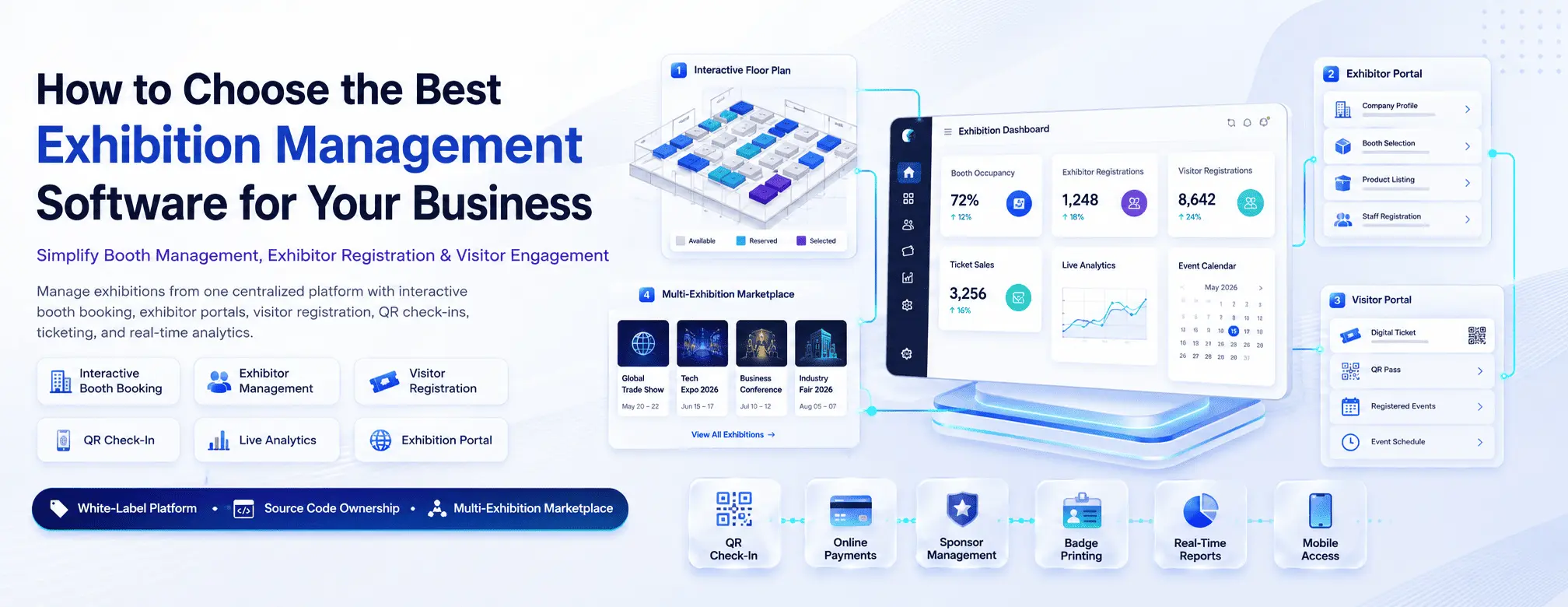
Exhibition Management Software is a comprehensive digital solution designed to simplify every stage of organizing exhibitions, expos, conferences, and trade shows. It centralizes event planning and automates tasks such as:
Exhibitor registration
Online visitor registration
Booth management
Ticketing
Payment processing
Event scheduling
QR code check-ins
Badge generation
Sponsor management
Analytics and reporting
Instead of managing multiple spreadsheets and disconnected tools, organizers can control everything from a single dashboard.
Why Your Business Needs Exhibition Management Software
Whether you're organizing a local trade show or an international exhibition, using dedicated software offers significant advantages.
Improved Efficiency
Automation eliminates repetitive administrative tasks, allowing your team to focus on delivering a better event experience.
Better Attendee Experience
Visitors enjoy seamless online registration, digital tickets, fast QR code entry, and real-time event updates.
Simplified Exhibitor Management
Exhibitors can easily register, select booths, upload company profiles, and manage their participation online.
Increased Revenue
Online ticket sales, sponsorship management, premium booth bookings, and promotional opportunities create additional revenue streams.
Data-Driven Decisions
Built-in analytics help you measure attendance, ticket sales, exhibitor engagement, and overall event performance.
Key Features to Look for in Exhibition Management Software
Choosing the right platform starts with understanding which features are essential for your business.
1. Online Registration System
An easy-to-use registration portal should allow:
Visitor registration
Exhibitor registration
Speaker registration
Group registrations
Custom registration forms
The registration process should be fast, secure, and mobile-friendly.
2. Booth Management
Booth allocation is one of the most critical aspects of exhibition planning.
Look for software that offers:
Interactive floor plans
Booth availability tracking
Online booth selection
Booth upgrades
Booth pricing management
Automatic booking confirmation
Interactive booth booking significantly improves the exhibitor experience.
3. Online Ticketing
Modern exhibition platforms should support:
Free registrations
Paid tickets
VIP passes
Early bird pricing
Discount coupons
Multiple ticket categories
Secure online payments help increase registrations while reducing manual work.
4. QR Code Check-In
Long queues create a poor first impression.
A good exhibition management platform should include:
QR code tickets
Fast attendee scanning
Badge printing
Self check-in kiosks
Real-time attendance tracking
This speeds up entry and improves event security.
5. Exhibitor Portal
Your exhibitors should be able to manage everything through a dedicated dashboard.
Features include:
Company profile management
Product uploads
Staff registrations
Marketing materials
Booth invoices
Lead collection
A self-service portal reduces administrative work for organizers.
6. Sponsor Management
Sponsors play an important role in exhibition success.
Look for software that supports:
Sponsor profiles
Sponsorship packages
Banner placement
Digital advertisements
Sponsor reports
ROI tracking
7. Event Scheduling
Managing seminars, workshops, networking sessions, and keynote speeches becomes easier with integrated scheduling tools.
Useful capabilities include:
Session management
Speaker profiles
Venue scheduling
Calendar integration
Live schedule updates
8. Payment Gateway Integration
The platform should support secure online payments through trusted payment gateways.
Essential payment features include:
Credit/Debit Cards
UPI
Net Banking
Digital Wallets
International Payments
Automatic invoices
9. Reporting & Analytics
Real-time reports help organizers monitor event performance.
Look for dashboards showing:
Registration statistics
Ticket sales
Revenue
Booth occupancy
Visitor demographics
Sponsor engagement
Attendance trends
Analytics enable smarter planning for future events.
10. Mobile Accessibility
Your software should work seamlessly across:
Desktop
Tablet
Smartphone
Mobile access allows organizers to manage events from anywhere.
Questions to Ask Before Choosing Exhibition Management Software
Before investing in a platform, ask these important questions:
Is it scalable?
Can the software support events with hundreds or thousands of attendees?
Is it customizable?
Can branding, workflows, registration forms, and emails be customized to match your organization?
Is it cloud-based?
Cloud solutions offer:
Automatic updates
Data backups
Remote access
Better security
Lower maintenance costs
Does it integrate with other systems?
Check compatibility with:
CRM software
Accounting software
Marketing automation
Email platforms
Payment gateways
ERP systems
Is customer support available?
Reliable technical support is essential before, during, and after your exhibition.
Choose vendors offering:
Live chat
Email support
Phone support
Training
Documentation
Benefits of Cloud-Based Exhibition Management Software
Modern cloud platforms offer significant advantages over traditional systems.
Lower IT Costs
No expensive infrastructure or server maintenance.
Faster Deployment
Launch your exhibition platform within days instead of months.
Automatic Updates
Always access the latest features and security improvements.
Better Collaboration
Multiple team members can work simultaneously from different locations.
Improved Data Security
Cloud providers use advanced security measures, encryption, and regular backups.
Common Mistakes to Avoid
Many organizers choose software based only on price.
Avoid these common mistakes:
Ignoring scalability
Choosing software without mobile support
Overlooking integration capabilities
Selecting platforms with poor customer support
Not testing the user experience
Ignoring reporting features
Choosing software with limited customization
Taking time to evaluate your options can save both time and money.

Why Businesses Are Switching to Digital Exhibition Platforms
Traditional event management methods rely heavily on spreadsheets, emails, and manual coordination, making the process time-consuming and error-prone.
Modern exhibition management platforms provide:
Faster registrations
Automated workflows
Better attendee engagement
Improved exhibitor satisfaction
Accurate reporting
Reduced operational costs
Enhanced event experiences
As exhibitions become increasingly digital, investing in the right software gives businesses a competitive edge.
Conclusion
Choosing the best Exhibition Management Software is one of the most important decisions for any event organizer. The right solution helps streamline registrations, booth management, ticketing, payments, attendee check-ins, scheduling, and reporting—all while improving the experience for exhibitors, sponsors, and visitors.
When evaluating platforms, prioritize scalability, customization, ease of use, mobile accessibility, security, integration capabilities, and responsive customer support. A cloud-based, all-in-one solution can reduce administrative work, improve efficiency, and help deliver successful exhibitions of any size.
Frequently Asked Questions (FAQs)
1. What is Exhibition Management Software?
Exhibition Management Software is a digital platform that helps organizers manage registrations, booth allocation, ticketing, exhibitor management, visitor check-ins, payments, scheduling, and event reporting from one centralized system.
2. Who should use Exhibition Management Software?
It is ideal for exhibition organizers, trade show companies, event agencies, convention centers, business associations, chambers of commerce, and corporate event planners.
3. What features should I look for in an Exhibition Management Platform?
Look for online registration, booth management, QR code check-ins, ticketing, payment gateway integration, exhibitor and sponsor portals, event scheduling, analytics, and mobile accessibility.
4. Is cloud-based Exhibition Management Software better?
Yes. Cloud-based platforms offer remote access, automatic updates, improved security, scalability, lower infrastructure costs, and easier collaboration for event teams.
5. How does Exhibition Management Software improve event success?
It automates manual tasks, enhances attendee and exhibitor experiences, reduces operational errors, provides real-time insights, and enables organizers to run more efficient and profitable exhibitions.